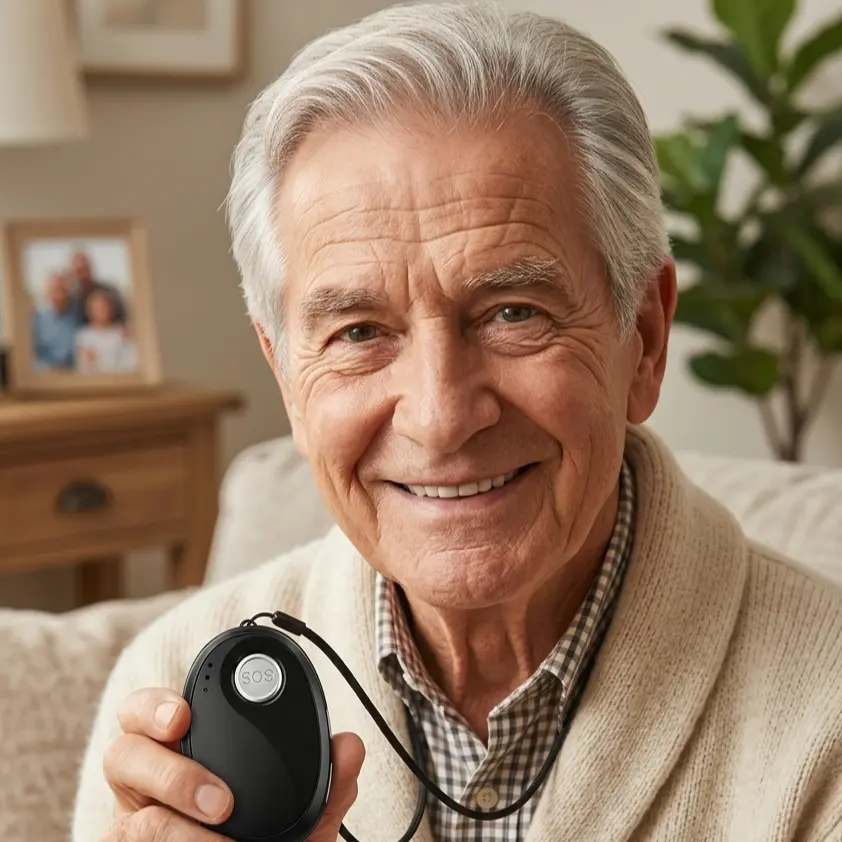
A mobile emergency button should reliably do three things: work wherever the person wearing it goes, call for help with a single press, and stay usable without any technical knowledge. When buying a mobile emergency button, look at battery life, mobile network and location coverage, a water-resistant build, a clearly defined emergency chain and transparent ongoing costs.
What is a mobile emergency button?
A mobile emergency button is a small wearable device with its own mobile network connection that triggers an emergency call to previously defined contacts and to an emergency call centre at the press of a button. Unlike a classic home emergency system, a mobile emergency button is not tied to a base station in the flat and therefore also works in the garden, while shopping or when travelling.
A mobile emergency button is usually worn as a pendant on a neck cord, on a belt or in a jacket pocket. Many devices also transmit an approximate location when triggered, so that helpers know where to go. Some models offer a voice connection directly through the device, which makes a conversation possible without a telephone being within reach.
Which criteria really matter when buying?
What matters is everyday practicality and reliability, not the number of features. A device that is complicated to operate or needs charging constantly ends up in a drawer and then protects nobody. The following criteria carry the most weight in daily life:
- Operation: The emergency call should be triggered by a single, clearly noticeable button, even with stiff or trembling fingers.
- Battery life: The longer a device lasts without charging, the less often a gap in protection appears. Ask about the runtime in normal everyday use, not the best figure in standby.
- Charging method: A charging cradle that the device is simply placed into is usually more practical in later life than a cable that has to be plugged in.
- Network coverage: A mobile emergency button is only as good as the mobile network connection in the places where the device is actually worn. Check whether the device works across Europe if travel is planned.
- Location transmission: A location only helps helpers if the location is sent automatically with the emergency call. Inside buildings, positioning is usually less precise than outdoors.
- Robustness: A device that is worn every day should survive splashes of water and drops. Look for a protection rating stated by the manufacturer.
- Voice connection: A two-way voice function makes it possible to explain what has happened. In a real emergency, a voice connection is often worth more than any extra feature.
- Contract terms: Minimum term, notice period and the question of whether the device is bought or rented should be settled before signing.
How important is the emergency chain behind the device?
The emergency chain matters more than the device itself. A mobile emergency button only triggers a signal; what counts is who receives that signal and how quickly it turns into actual help. Before buying, it should therefore be clear in which order each person is notified.
At NOA, the registered relatives and trusted contacts are called first, meaning people who know both the situation and the home. If nobody from that circle responds, a 24/7 emergency call centre is brought in, takes over the case and alerts the emergency services if the situation requires it. This order ensures that a brief scare in the hallway does not automatically send an ambulance, while a genuine emergency still receives professional care.
Ask every provider explicitly what happens when nobody in the family can be reached. A system without that backup shifts the entire responsibility onto relatives, who may be on holiday, at work or simply fast asleep.
Which ongoing costs should you expect?
A mobile emergency button almost always brings two kinds of cost: a one-off cost for the device and ongoing costs for the mobile connection, emergency standby and service. A low device price therefore says little about the real total cost over several years.
Before signing, clarify which services are included in the monthly price and which are charged separately. This often concerns connection to an emergency call centre, use elsewhere in Europe, replacement devices and the exchange of accessories. Ask for the answers in writing, so that the answers remain verifiable later on.
Whether and to what extent the costs of emergency call systems are reimbursed is regulated differently in every European country and changes over time. For that reason, ask the responsible body in your own area rather than relying on general statements found online.
How do you test a device before deciding?
A mobile emergency button can be tested realistically in a few steps before any decision is made. The important part is that the person who will later wear the device does the testing, and not the daughter or son at the kitchen table.
- Let the person press the button several times and watch whether the button is found without effort and without looking.
- Wear the device for a full week in normal daily life, including at night, in the shower and on walks, and note down when the device becomes a nuisance.
- Check how long the battery lasts under these real conditions instead of relying on the manufacturer's figure alone.
- Carry out at least one test alarm and have the provider confirm that the test alarm arrived correctly.
- Go through the emergency chain with every registered contact, so that nobody is caught off guard in a real emergency.
Frequently asked questions
Does a mobile emergency button also work abroad?
That depends on the provider. Devices with a mobile connection that works across Europe generally also work outside the home country, provided the contract explicitly includes this. Before travelling, clarify whether the emergency call centre handles cases in the destination country and in which language communication takes place. Without that confirmation, a mobile emergency button may be ineffective abroad.
What happens if the button is pressed by accident?
A false alarm is not a problem and should never be a reason to hesitate before pressing the button. With NOA, a trusted person is contacted first, so the situation can usually be cleared up within seconds. If the alarm is not confirmed, the 24/7 emergency call centre takes over. A good provider plans for false alarms rather than penalising them.
Does the person wearing a mobile emergency button also need a smartphone?
No, a mobile emergency button works on its own because a mobile emergency button has its own mobile network connection. A smartphone is mainly useful on the side of relatives, for example to receive alerts or manage settings. The person wearing a mobile emergency button needs neither to own a smartphone nor to know how to operate one.
Does a mobile emergency button make sense in cases of dementia?
That depends on the stage. As long as the person reliably makes the connection between pressing a button and receiving help, a mobile emergency button can be useful. Once that connection is lost, automatic features such as fall detection or location transmission contribute more to safety than the button itself. Discuss the decision with the treating professionals.
NOA is not a medical device and does not replace medical or nursing care. In the event of acute health problems, please contact the emergency services or a doctor.